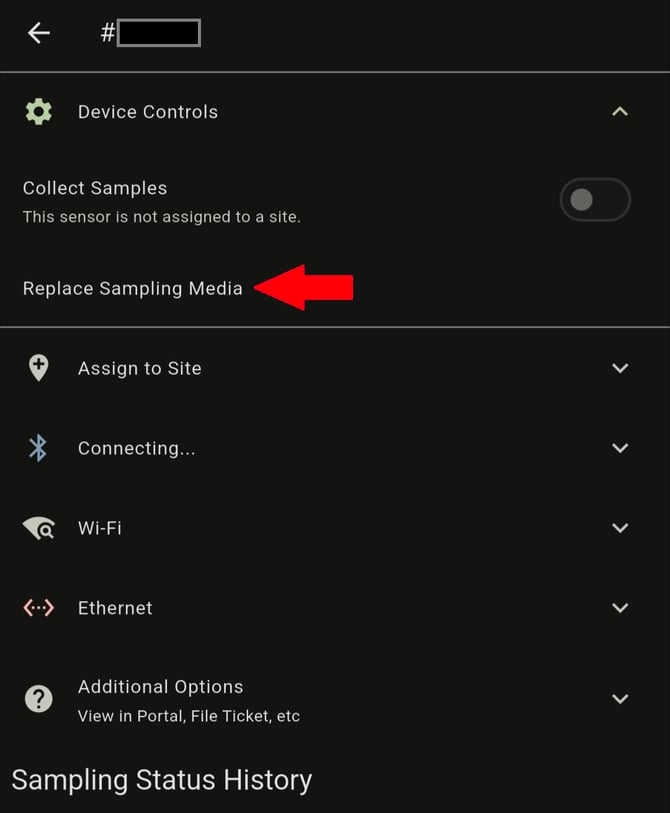
Removing and Replacing Media Cartridge
Important Notice:
After replacing the media cartridge, open the Particle Sense app and navigate to the sensor’s page. Once there, press “Replace Sampling Media” and select the condition of the cartridge. If you are installing a partially used media cartridge follow the Installing a Partially Used Media Cartridge instructions.