
Usage of the web widget requires a separate license. Licenses are assigned to your organization by your Pollen Sense Account Manager. Details of the available license options are available here:
https://portal.pollensense.com/api/widget (account required to view)
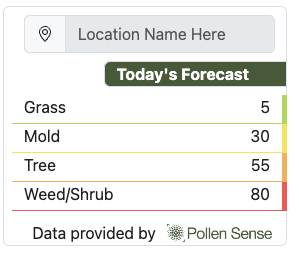
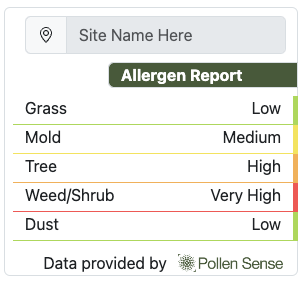
Pollen Sense provides an embeddable web widget that looks like the following. Note that the appearance is subject to change. Please see the documentation at https://portal.pollensense.com/api/widget for the up-to-date appearance (account required to view link)
Adding your web developer to your Organization
Generally, it is recommended to get in contact with your web developer to get the widget embedded into the website. In order for them to view the Widget builder form, you will need to add the developer’s email as a User in your organization. Follow the following steps:
-
log into https://portal.pollensense.com with an account assigned the
Ownerrole in the organization -
Select “Organization” in the Navigation bar
-
Select “Users” tab
-
click the
+button to add the developer as a user-
while creating the user, make sure to assign the
Ownerrole so that the developer can view the API keys and Web widget builder
-
The developer will need to accept the invite in order to view the widget documentation
Embedding Widget
Getting API Key
-
Navigate to https://portal.pollense.com
-
select “Organization” from Nav Bar
-
select “API Keys” from side bar
-
Generate or copy key
Building Widget
make sure to copy your API key from the steps above before proceeding
-
navigate to https://portal.pollensense.com/api/widget
-
select either “Site Widget” or “Forecast Widget” depending on the license you have (note that the widget-building form will only show up for the widget that you have a license for)
-
Fill out the form fields, including the API key
-
copy the outputted
<iframe>code and embed the widget into your website