What’s in the box?
-
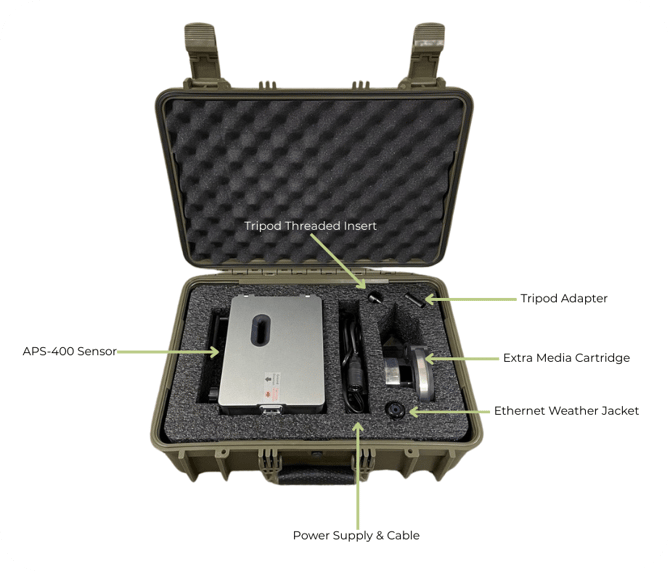
APS-400 Sensor
-
Tripod threaded insert
-
Power supply & cable
-
2x Media cartridges (one pre installed in sensor)
-
Threaded tripod mount adapter (1/4-20 or 3/8-16 threads)
-
Ethernet weather jacket
-
2 metal zip ties
-
2 plastic zip ties
-
4 screws, 4 washers, and 4 spacers for VESA connection (Bagged together)
-
Quick-start guide & experimental notice papers
-
If purchased: Hard-shell carrying case
Setup Before Going to Deployment Site
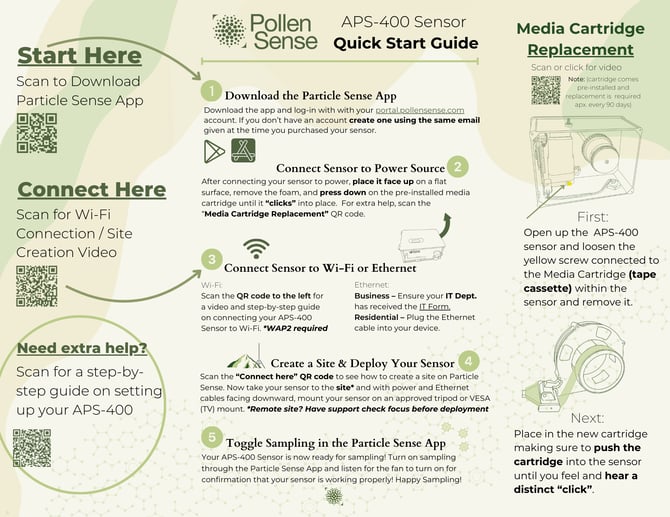
Note: For best results, complete the following steps indoors before installing the APS-400 sensor at its final location.
-
Download the Particle Sense app and sign in with your portal.pollensense.com credentials.
-
Start inside near power and internet: Place the sensor on a flat surface with the lid facing up.
-
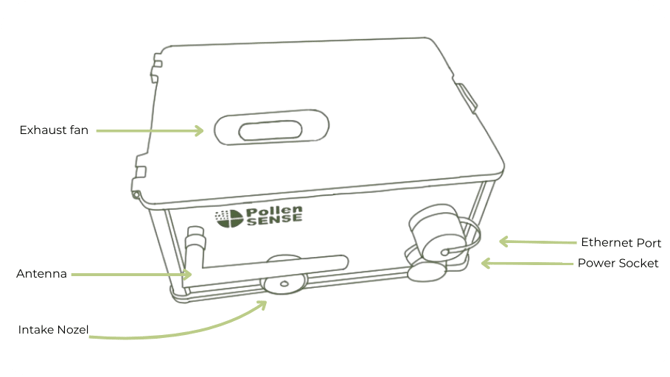
Power the sensor: Plug the power supply into the port on the bottom of the sensor.
-
Open and verify power: Unlatch the right side, remove the foam, and check for red and green lights on the left-side circuit board. Then, close and latch the sensor.
-
-
Connect via Bluetooth: Open the Particle Sense app and hold your mobile device near the sensor you are setting up. On the main screen, locate the matching sensor ID number, then tap it to open the sensor’s info page. Wait for the Bluetooth icon to turn green—this means you're connected.
(Note: You do not need to pair the sensor through your phone’s Bluetooth settings. Just ensure Bluetooth permissions are enabled for the app.) -
Connect your sensor to the Internet: For the most stable connection, an active Ethernet cord to the sensor. Wi-Fi is also available—if preferred, please follow the Wi-Fi setup video before continuing.
-
Check connectivity: You can ensure the sensor is connected to the internet by selecting either the Wi-Fi or Ethernet dropdown menu on the sensor’s Manage page and checking for a displayed IP Address.
-
-
Allow time for updates: Once online, allow the sensor you're setting up to sit for 30–60 minutes to complete any updates.
-
Check focus: If the deployment site is remote or far away, schedule an onboarding call to verify microscope focus before traveling. Shipping can shift the focus, and it’s easier to adjust beforehand.
-
You’re Ready for Deployment! Please proceed to the Sensor Mounting Instructions instructions.