
The following instructions should only be performed when requested by a Pollen Sense Support team member. Please review the instructions in their entirety, including the Video Demonstration, before attempting to perform the recalibration.
APS-400 Sensors use a complex microscope focusing system in order to produce high quality images. Occasionally, this focusing mechanism will require recalibration due to a large variety of factors.
In order to recalibrate, a member of the Pollen Sense Support team will need to do some initial setup and communicate the direction to turn the Focus Ring, as well as the number of steps to turn (see Figures 1 & 2 below).
Orientation
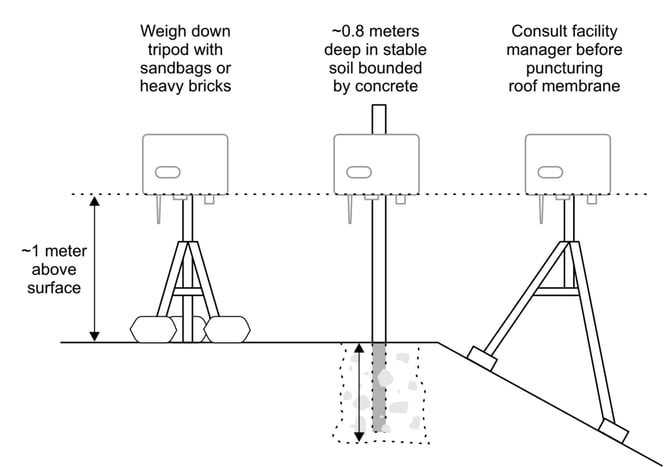
The Microscope Focus Recalibration must be performed when the sensor is mounted in the proper orientation as shown below (landscape, antenna down). It is best to perform the recalibration on the sensor while it is still in its sampling location. Failure to do so may result in an improperly calibrated sensor.
Instructions
After a Pollen Sense Support team member has communicated that you are ready to recalibrate:
-
Leave the sensor powered on. You are supposed to perform the adjustment while the sensor is collecting samples.
-
Open the lid of the sensor. This may prompt the sensor to turn off its fan, that is not an issue.
-
Look through the adjustment access hole (circled in green, Figure 1) to see the Focus Ring (Figure 2).
-
Find a long, thin tool (something solid, such as an allen wrench) that will fit in the adjustment access hole with room to spin the Focus Ring.
-
Using the tool you have found in step 3, look through the adjustment access hole and rotate the Focus Ring in the direction and appropriate number of steps indicated by the Pollen Sense Support . A step is the distance between two teeth on the Focus Ring. Acutely over or under adjusting is not an issue.
Example: “Adjust the Focus Ring to the left 3 steps (calibrate up).” -
Unplug the sensor from power, wait about 10 seconds, then proceed to plug it back in. This will reset the sensor to begin sampling again. You will not need to reset the Site of the sensor.
If you have trouble or any questions, please reach out to the Pollen Sense Support Team and they will be ready and willing to assist.
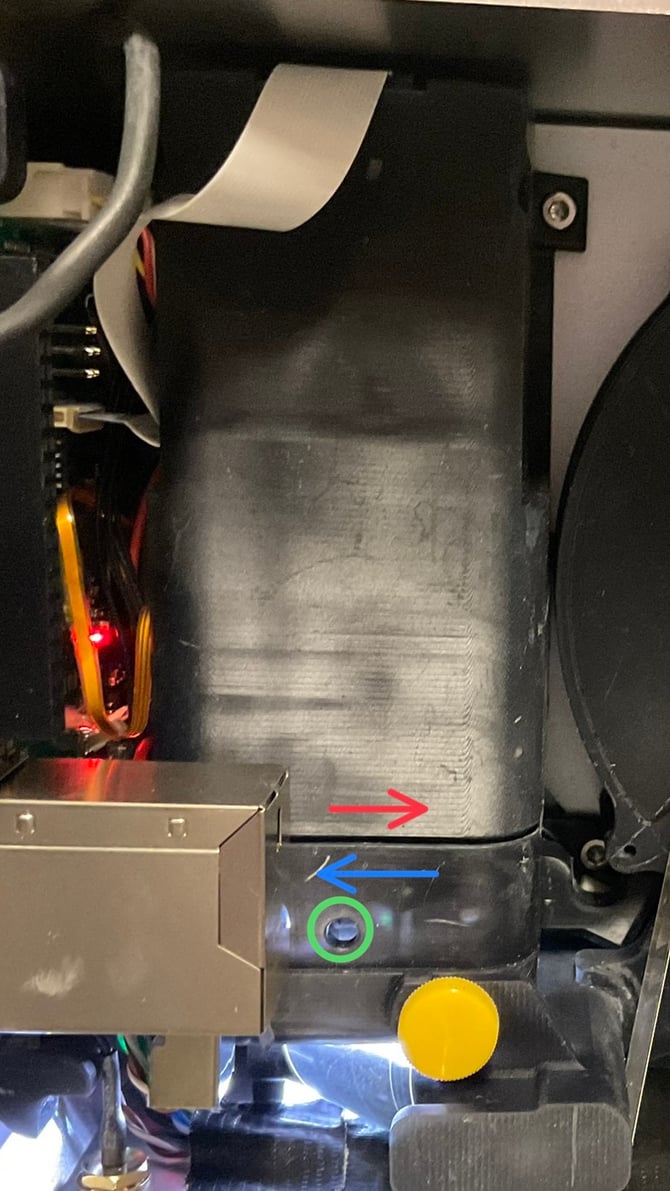
Figure 1: Microscope Housing. Calibrate Up (blue), Calibrate down (red), Adjustment access (green)
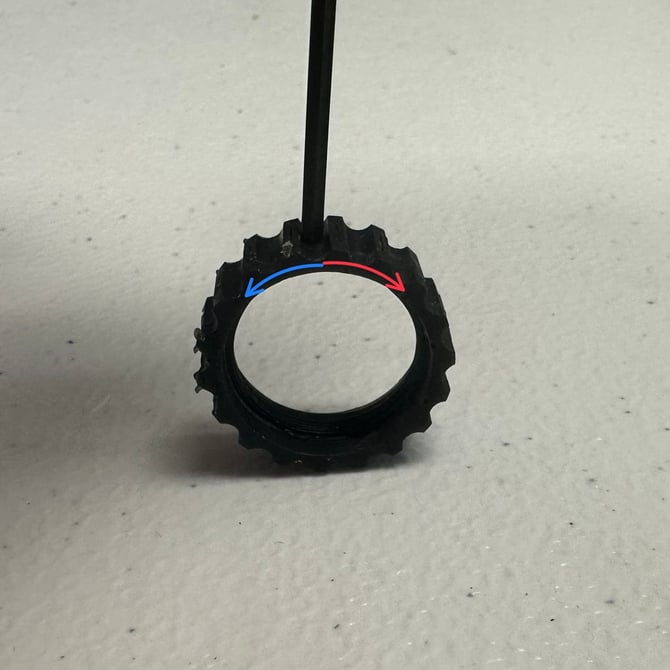
Figure 2: Focus Ring. Spin direction: Calibrate Up (blue), Calibrate down (red)
Video Demonstration