
Old vs Updated Media Cartridges
Due to the recent upgrade of all APS-400 Sensors, the Media Cartridge has been updated as well. Non-updated Media Cartridges are not compatible with updated sensors. View the images below to tell the difference between the old and updated Media Cartridges
Updated Media Cartridge |
Old Media Cartridge |
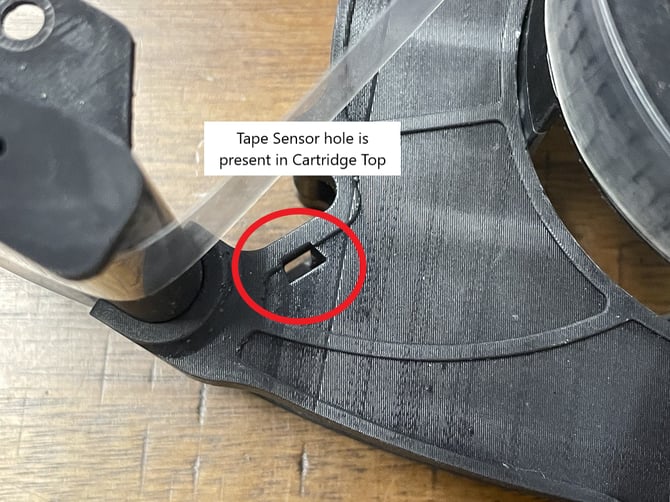 |
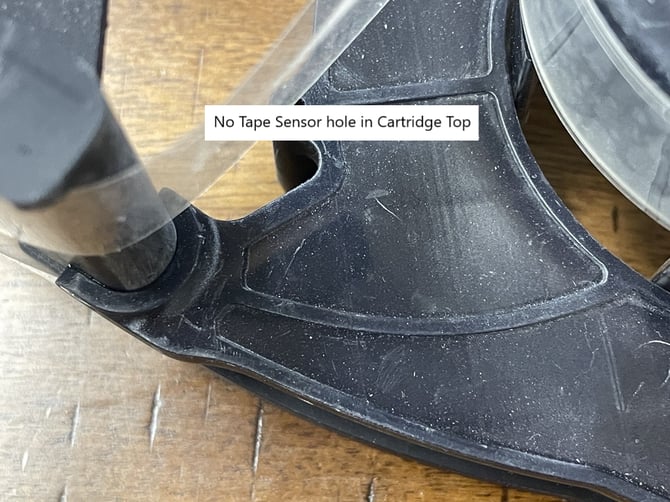 |
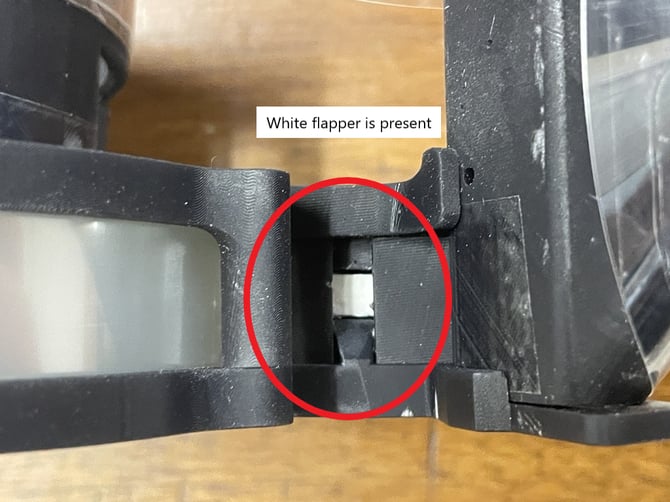 |
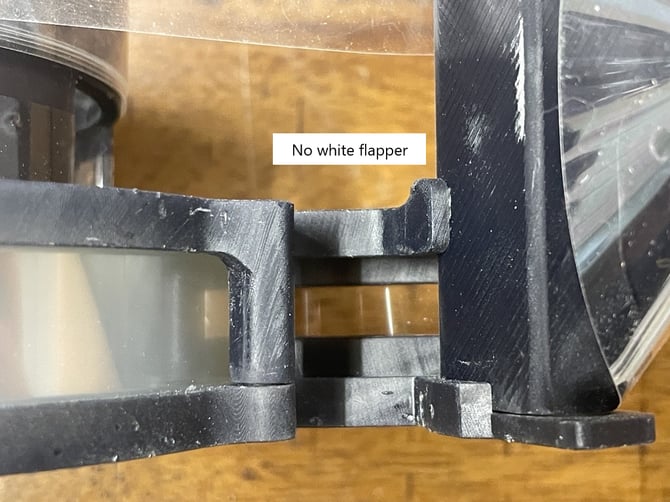 |
If you possess unused Old Media Cartridges, it is possible to exchange the roll of tape inside of them into the casing of an Updated Media Cartridge once it has been completely used up. Please review the instructions below in their entirety before attempting to replace the tape roll.
Tape Roll Replacement for Updated Media Cartridges
You will need a T8 Torx screwdriver, clear Scotch tape, and a pair of scissors in order to properly complete the tape roll replacement.
Only complete the following instructions when asked to do so by a Pollen Sense Technician.
Nomenclature:
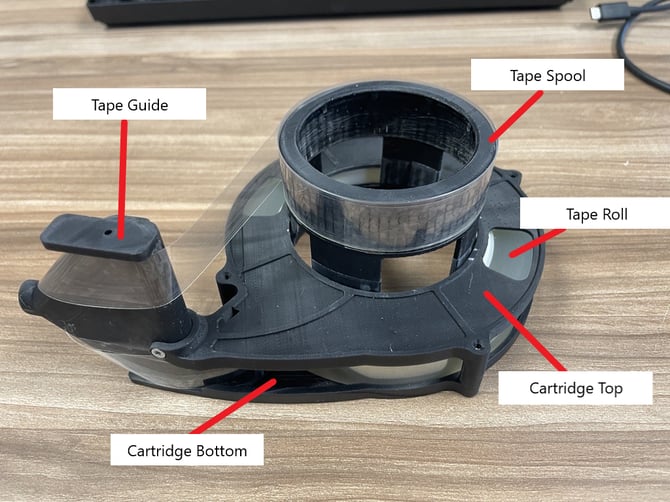
Instructions:
-
Using scissors, cut the tape between the Tape Guide and Tape Spool.
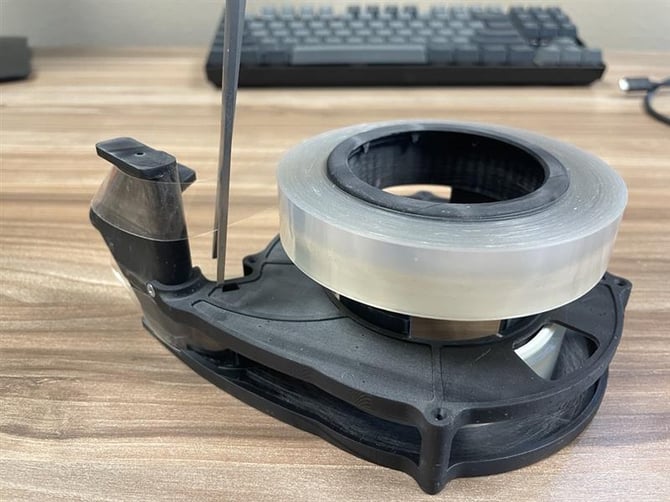
-
Carefully remove the Tape Spool from the Cartridge Top by gently pressing in the legs of the Tape Spool and lifting out of the Cartridge Top.
-
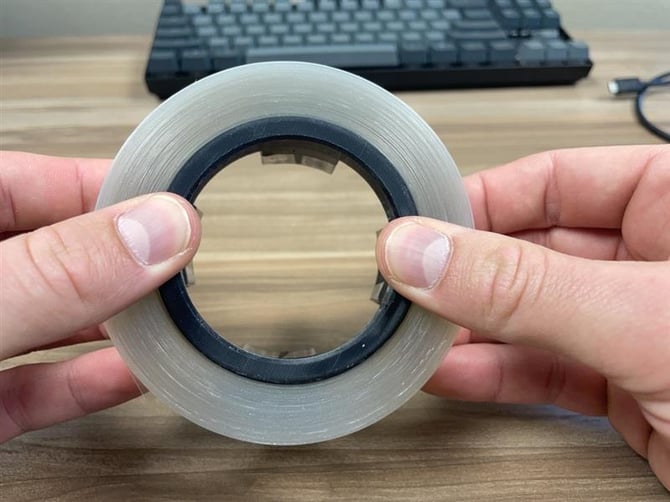
Once the Tape Spool is has been pulled out, remove the used up tape surrounding it. It may be easiest to place your fingers under the tape and press the Tape Spool out with your thumbs as shown in the image below. If unable, use a razor blade to cut the surrounding tape off of the Tape Spool.
- Once all the tape has been removed, wrap clear Scotch tape around the top of the Tape Spool for a full rotation as shown in the image below. The Scotch tape provides a better surface for the Tape Roll to adhere to. Try not to have bubbles or wrinkles in the Scotch tape.
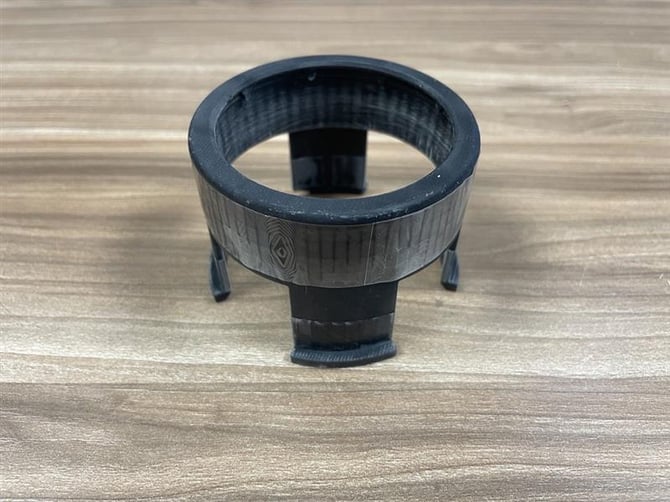
-
Set aside the Tape Spool.
-
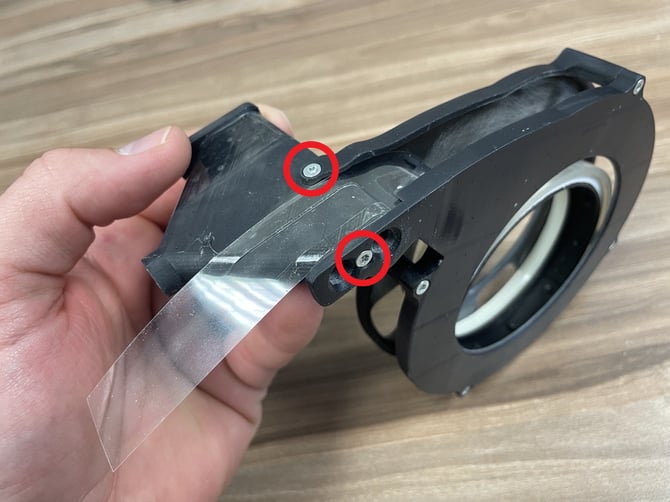
Remove the 2 screws holding the Tape Guide to the Media Cartridge assembly.
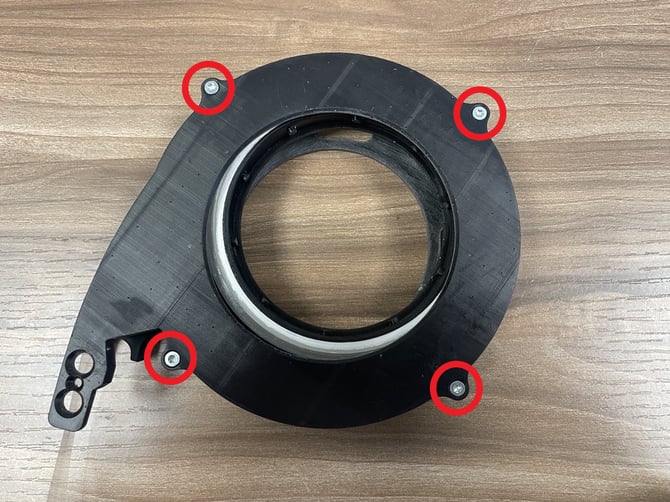
- Turn the Media Cartridge assembly over and remove the remaining 4 screws holding the Cartridge Bottom to the Cartridge Top.
- Very carefully lift up the Cartridge Bottom from the Cartridge Top. There are intricate parts inside that need to remain undisturbed (circled in red below).
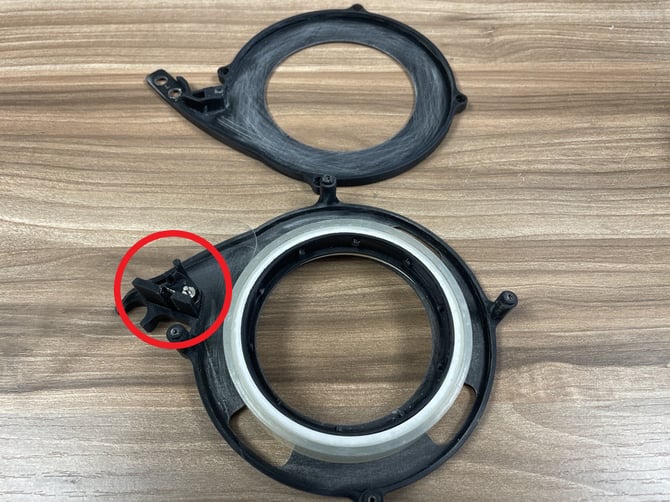
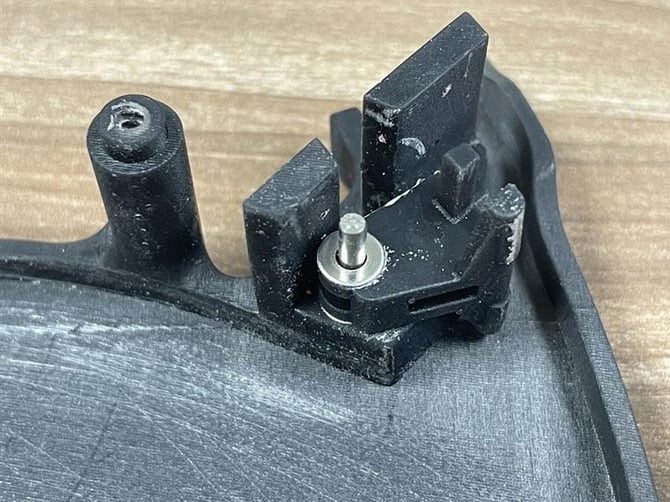
- As mentioned previously, there are intricate parts that make up the flapper for the tape sensor inside of the APS-400. If any of the components shown below are damaged or missing from the Media Cartridge, it may cause issues when reinstalled back into your APS-400. Review the image below and inform the Pollen Sense Technician you are in contact with if any of the parts are damaged/missing.
-
Remove the used up Tape Roll from the Cartridge Top.
-
Place the new/unused Tape Roll into the Cartridge Top, facing the black ring inside of the Tape Roll up.
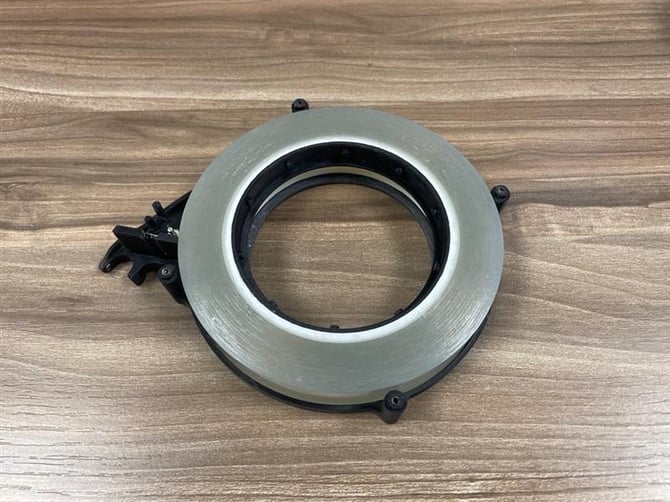
-
Replace the Cartridge Bottom onto the Cartridge Top and attach using the 4 screws removed in Step 7.
-
Replace the Tape Guide into the Media Cartridge assembly and attach using the 2 screws removed in
Step 6.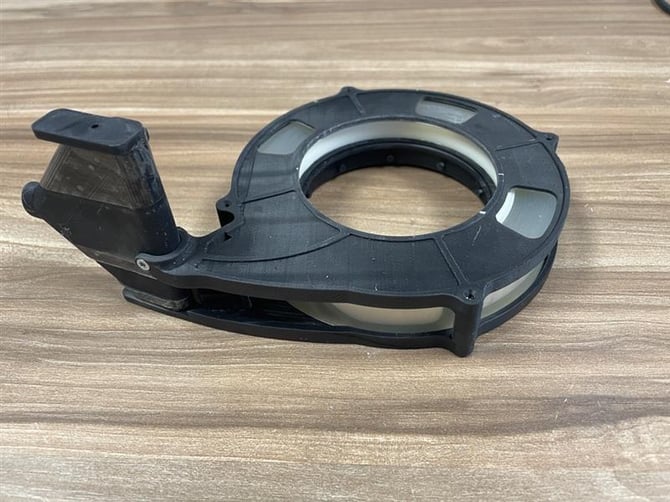
-
Replace the Tape Spool into the Cartridge Top.
-
Find the end of the Tape Roll and spin it until it sits in the region shown below.
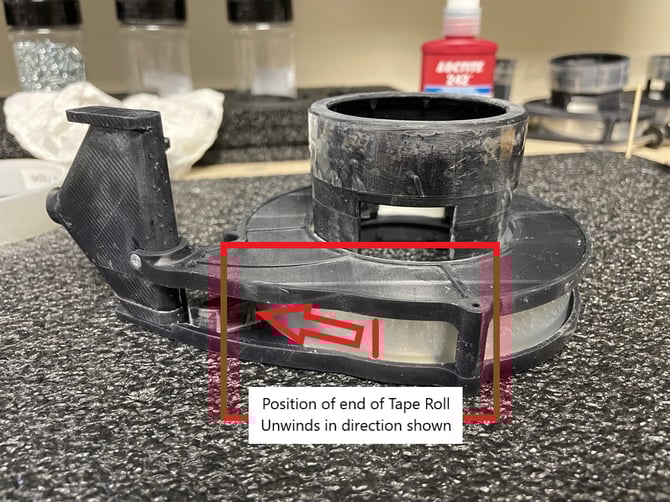
-
Begin to unwind the Tape Roll and wrap it around the Tape Guide (the non-sticky side of the tape should rest against the Tape Guide). The correct way to wrap the Tape Roll around the Tape Guide is shown in step 18.
-
Attach the Tape Roll to the Tape Spool with a 3 inch piece of clear Scotch tape. Follow the image below for proper attachment.
- Finish by tightly wrapping the Tape Roll around the Tape Spool 3 times to ensure a proper connection (no bubbles or wrinkles). The edge of the Tape Roll should sit just below the rounded edge of the top of the Tape Spool.
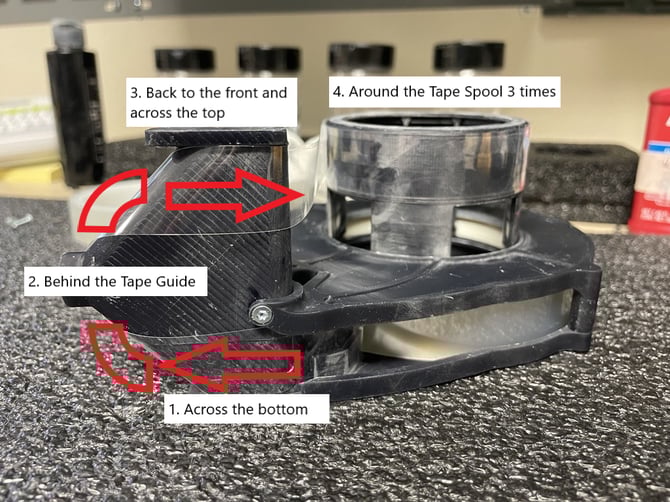
The finished assembly should look like this:
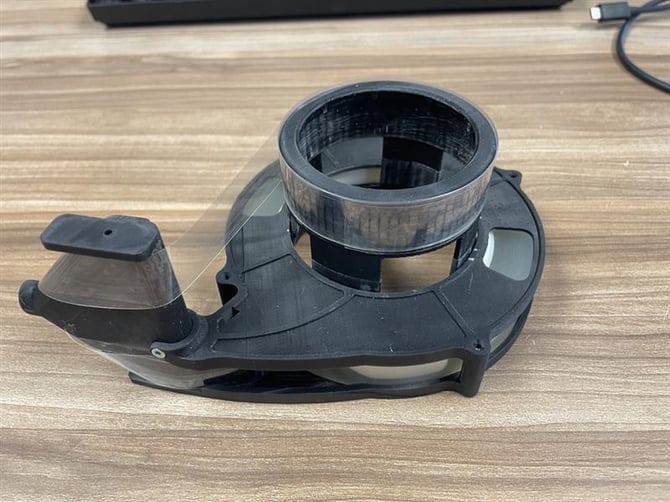
Upon completing these instructions, please refer to the Replacing with a Partially Used Cartridge section of the Media Cartridge Installation Guide.